Pitboard
A race engineer for your Mac. It tells you why your Mac is hot, slow or draining, and the one thing to do about it.
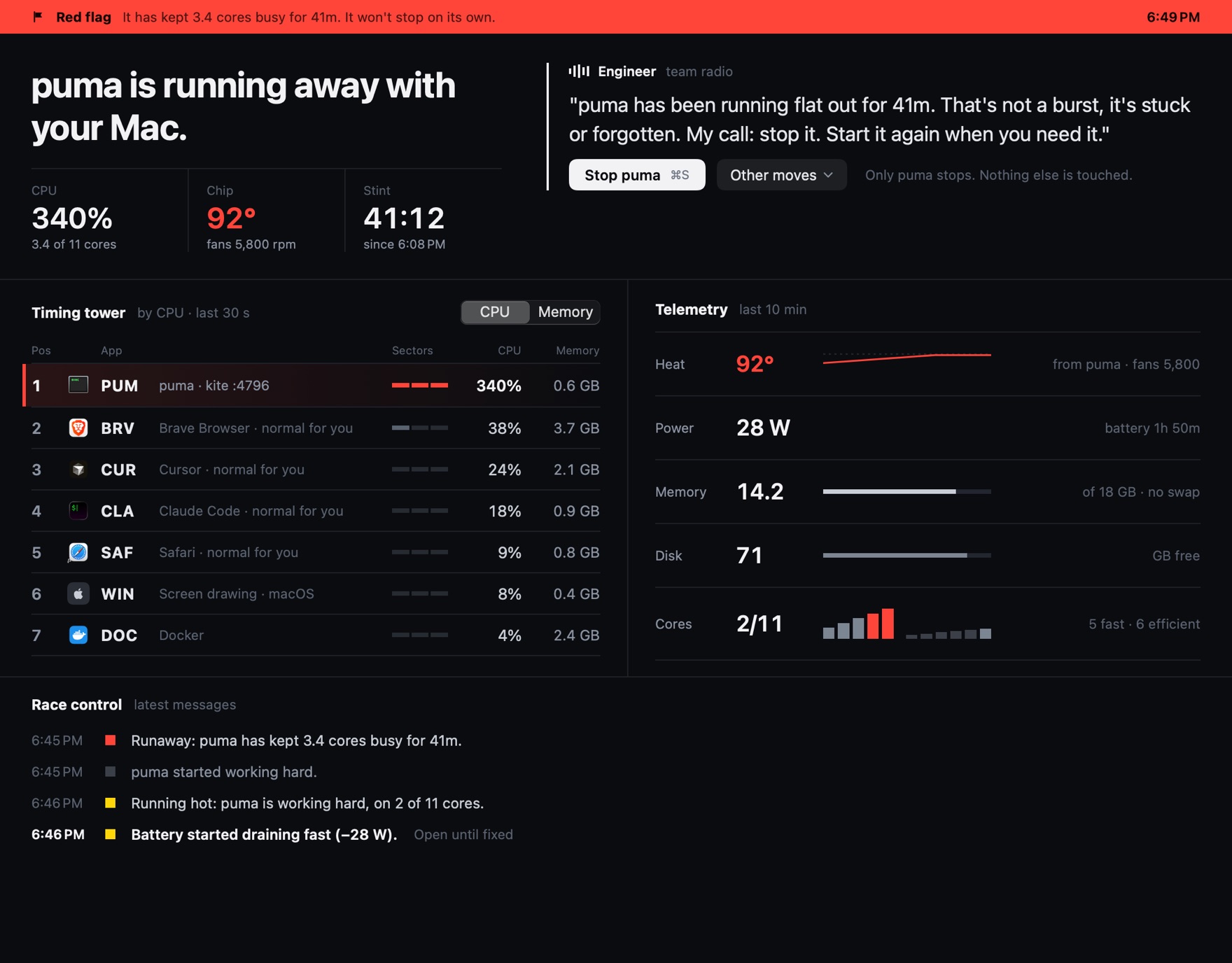
The engineer reads the telemetry so the driver can drive.
Activity Monitor shows you everything and explains none of it. In Formula 1 the driver gets one call on the radio: what's happening, and what to do. Pitboard gives your Mac the same setup.
Flags
Green means drive. Red means a problem that won't fix itself, like a server stuck at full speed for 30 minutes.
Timing tower
Brave, Cursor, a forgotten dev server. What each app is doing, in a sentence, and whether you should care.
Team radio
One call, one button. "Stop puma. Only puma stops. Nothing else is touched."
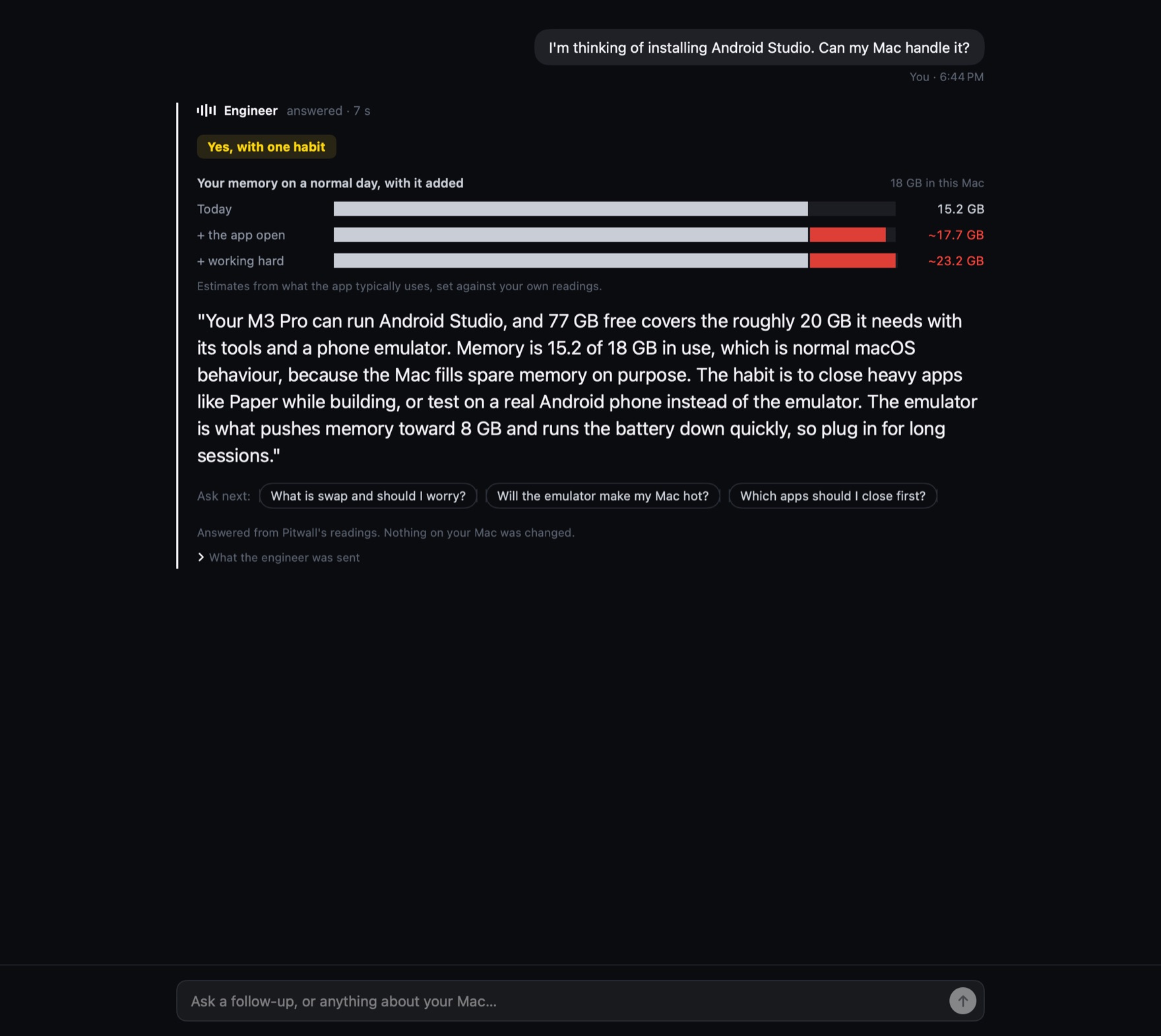
Ask anything. It looks before it answers.
"Why is Paper using so much?" The engineer checked Paper's processes, then who was connected to its port, and found four Claude sessions attached at once. Read-only, and it uses the Claude Code or Codex you already have.
It won't cry wolf.
A browser holding 4 GB is normal, so Pitboard stays green. A problem has to last a minute before you hear about it, and then once an hour at most.
Read-only. On your Mac.
No password, no servers, no accounts, no analytics. Readings stay on your Mac. Turn the engineer off and nothing leaves.
Questions
Does it slow my Mac down?
About 0.7% CPU and 60 MB of memory, measured on an M3 Pro.
Do I need AI?
No. Flags, explanations, the timing tower and Stop all work without it. The engineer is there for questions.
Will it stop the wrong thing?
It never stops anything without asking, shows you what it is first, and checks that it really stopped.
Does it replace Activity Monitor?
For most people, yes. It's what Activity Monitor would say if it could talk.